
PHP2Shell Update: MachForm Cloud Is Fully Patched
On October 21, 2026, the PHP project released emergency security updates for two critical vulnerabilities, CVE-2026-109618 and CVE-2026-109619, nicknamed “PHP2Shell”. Both are rated 9.2 (Critical), and both could let an attacker run code on a web server without logging in. Because PHP powers a large share of the web, this affected countless websites and applications, including anything built on PHP.
MachForm Cloud is fully patched. Every MachForm Cloud server now runs PHP 8.5.12, the official release that fixes both vulnerabilities. We had protective measures in place on the same day the advisory was published, and we installed the official fix as soon as Amazon released it. If you use MachForm Cloud, you’re safe, and there’s nothing you need to do.
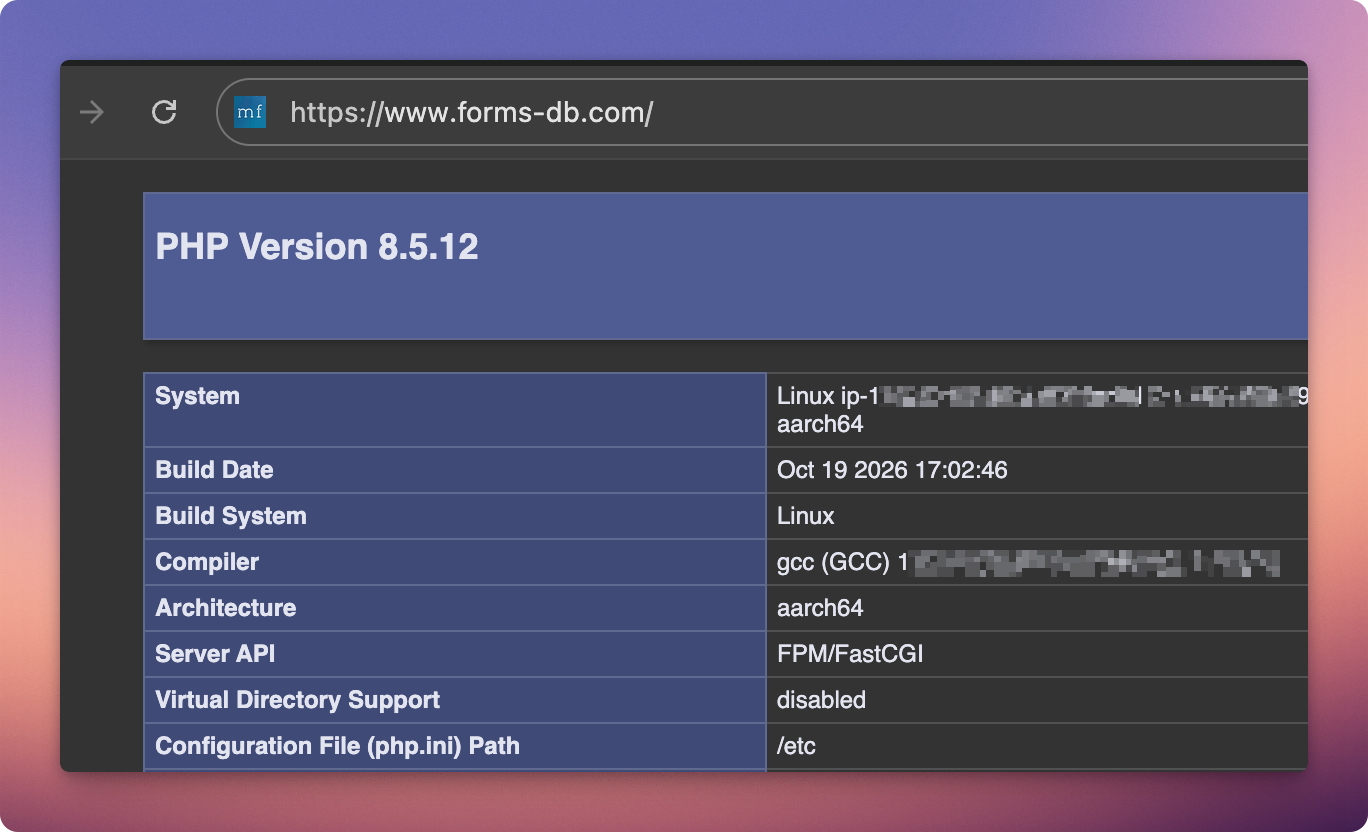
PHP version check on a MachForm Cloud server, confirming the patched PHP 8.5.12 is in place.
What happened
Here’s how events unfolded over the past few days:
| Date (2026) | Event |
|---|---|
| Oct 22 | All MachForm Cloud servers updated to PHP 8.5.12 |
| Oct 22 | Amazon releases patched PHP 8.5.12 for Amazon Linux 2023 |
| Oct 21 | MachForm Cloud applies the PHP security team’s recommended mitigations on all servers |
| Oct 21 | PHP releases fixed versions 8.5.12, 8.4.27, 8.3.36 and 8.2.35, with full advisories |
| Oct 21 | Security firm watchTowr reports exploitation attempts in its honeypot network |
| Oct 20 | PHP security team announces an upcoming critical release; details of the flaws leak online the same day |
Who is affected
This isn’t a MachForm-specific issue. PHP is the programming language behind a large share of the web, including popular platforms like WordPress, Drupal and Joomla. These vulnerabilities affected every website and application running on an unpatched version of PHP, not just MachForm.
Because the problem is in PHP itself, the fix is to update PHP on the server where the application runs. For MachForm Cloud, we’ve already done that for you. For MachForm Self-Hosted, it’s the PHP on your own server that needs updating.
MachForm Cloud: fully patched, no action needed
If you use MachForm Cloud, you’re safe. Every MachForm Cloud server now runs PHP 8.5.12, which fixes both vulnerabilities completely. You don’t need to change any settings, update anything, or take any action on your side. Your forms, submissions and custom domains continue to work exactly as before.
MachForm Self-Hosted: what you should do
If you run MachForm Self-Hosted, the safety of your installation depends on the PHP version running on your server. Here’s what we recommend:
- Update PHP to an officially patched version: 8.5.12, 8.4.27, 8.3.36 or 8.2.35 (or later). Install it through your operating system’s package manager, then restart Apache or PHP-FPM. On shared or managed hosting, ask your hosting provider to confirm they’ve applied the update.
- Update MachForm to the latest version, v30. PHP2Shell is a PHP bug, but older MachForm versions contain their own known vulnerabilities, so we don’t recommend running them. Updating PHP and MachForm together gives you a fully up-to-date installation.
If your server runs PHP 8.1 or older (including any PHP 7.x or 5.x), there is no official fix for these versions, so upgrading to a supported PHP branch is the only real solution.
Frequently asked questions
Is MachForm Cloud safe now? Yes. All MachForm Cloud servers run PHP 8.5.12, the official release that fixes both vulnerabilities.
I use MachForm Cloud. Do I need to do anything? No. There are no settings to change and nothing to update on your side. Your forms keep working as usual.
I use MachForm Self-Hosted. Do I need to update MachForm? Yes, we recommend updating to the latest version, v30, along with updating PHP to 8.5.12, 8.4.27, 8.3.36 or 8.2.35. The PHP2Shell bug is in PHP itself, but older MachForm versions contain their own known vulnerabilities.
I’m on shared hosting. What should I do? Contact your hosting provider and ask whether PHP has been updated to a patched version. On shared hosting you usually can’t change PHP yourself, but your provider can.
How do I know if my self-hosted server was attacked? It’s hard to tell for certain. Look for unusual spikes in out-of-memory or fatal errors in your PHP and web server logs, and for unexpected new files in your web directories. If anything looks suspicious, ask your hosting provider or a security professional to review the server.
Can I move from MachForm Self-Hosted to MachForm Cloud? Yes. Our team will transfer all your forms and data for you.
If you have any questions or need any help, please contact our support team. We’re happy to help.